Opportunity discovery
Filter projects by skills, category, location, work mode, experience, currency and compensation range.

Student & Career Tools
Small beginnings. Meaningful possibilities.
A student-focused marketplace with opportunity discovery, optional AI coaching, scam-warning checks, college schedules, milestones, earnings records and consent-based placement sharing.
SkillSpring connects students and employers through moderated opportunities, profiles, applications and messaging. Its expanded growth studio adds optional AI opportunity explanations, application drafts, skills roadmaps and multilingual output, alongside keyword safety warnings, exam-aware preferences, bilateral project milestones, private INR earnings records and shareable case studies. College coordinators appointed by administrators can share opportunities and view only student-consented profiles and relevant application statuses. Email and AI require explicitly enabled administrator-owned providers; recommendations remain skills-based, and safety flags are not fraud verification.
Students exploring flexible projects and employers looking for early-career talent. Marketplace moderation is manual; listing publication is not proof of employer identity or a hiring guarantee.
Inside the workspace
Filter projects by skills, category, location, work mode, experience, currency and compensation range.
Maintain a profile, opt-in public portfolio, work samples, saved searches and application history.
Manage company pages, project drafts, deadlines, applications and feedback.
In-app conversations, notifications, blocking and message reporting; verified accounts are required in production.
Manually review projects and employer profiles, resolve reports and retain administrative audit records.
Server-checked single-use maths questions and persistent account/IP login rate limits are included.
Optional DeepSeek explanations, application coaching, skills roadmaps and output in ten languages. Students consent before sharing career notes; drafts are editable and never auto-submitted.
Save weekly hours, preferred days and exam breaks. Suggestions pause during exam breaks; confirm actual working hours with employers.
Agree deliverables, dates, revisions and amounts with the other application participant. Track student progress, employer completion and private manual INR earnings.
Publish case studies with declared client permission. Join administrator-authorised college placements with explicit consent and withdraw access when needed.
A PRACTICAL START
SkillSpring keeps opportunity discovery, student profiles and employer workflows in one application. It is a separate module inside CoreBiz AI with its own database and private session.
This deployment starts with a fresh database. Local demo accounts and fictional seed listings are not published as real opportunities.
CURRENT AVAILABILITY
The public site and account registration are deployed with email disabled. Verification and password recovery need an operator-configured SMTP sender. Verification-gated actions stay blocked until the account is verified.
The product does not provide payment processing, escrow, identity verification or subscriptions. Never pay to apply, and report suspicious offers.
GROWTH STUDIO
Scam warnings use keyword screening. They do not certify safety, and a listing without flags may still be unsafe. AI drafts use supplied profile facts and must be reviewed before use.
The new studio supports English and Hindi labels; its AI language selector also includes Marathi, Tamil, Telugu, Bengali, Kannada, Gujarati, Malayalam and Punjabi. The rest of the interface is currently English.
Getting started
Browse the marketplace or create a student or employer account. The local admin/admin and student/student demo identities are disabled in production. Administrators can configure encrypted SMTP and AI settings. Verification, recovery and AI tools remain unavailable until the relevant provider is enabled. The new deployment does not include old users, private resumes or seeded listings.
Open live projectA complete appointment-led workspace for bookings, customer relationships, sales, staff schedules and day-to-day service operations.
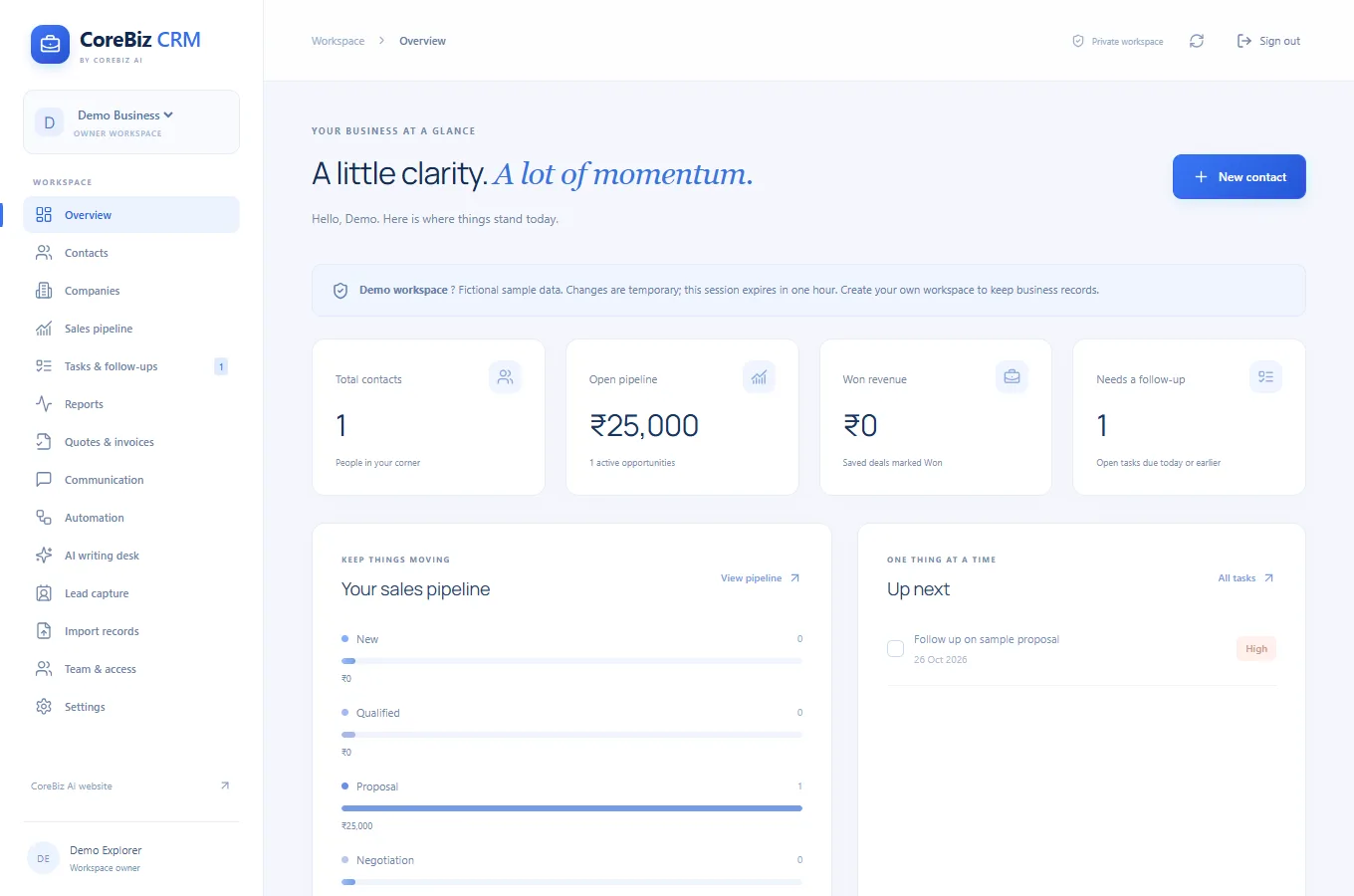
A spacious blue business CRM for customer relationships, shared workspaces, sales opportunities, enquiries, quotations, invoices and follow-up automation.
A home-service booking website for cleaning and cooking, with on-demand services, subscription options and guided scheduling.
THE JOURNAL
SkillSpring - Student Side Hustle Finder
List the hours you can reliably offer before filtering opportunities.
Read article ↗SkillSpring - Student Side Hustle Finder
Choose two work samples that demonstrate the same skill as your target opportunity.
Read article ↗SkillSpring - Student Side Hustle Finder
Describe the outcome, deadline and expected revisions before opening applications.
Read article ↗SkillSpring - Student Side Hustle Finder
Use a short message that names the opportunity, explains your relevant skill and asks one concrete question.
Read article ↗SkillSpring - Student Side Hustle Finder
Check the description for unclear payment terms, requests for unrelated personal information and pressure to act immediately.
Read article ↗